


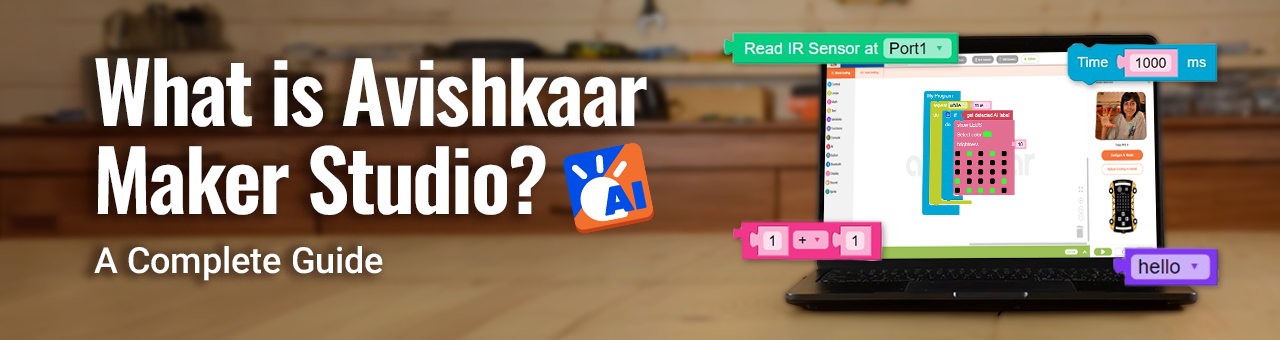
What is Avishkaar Maker Studio (AMS)? A Complete Guide
Robotics and Artificial Intelligence (AI) are becoming central to how societies work, learn, and interact. For children, engaging with these fields early can foster computational thinking, creativity, and problem-solving skills.
Avishkaar Maker Studio (AMS) is an educational platform that introduces students to coding, AI, and robotics through structured activities. It provides tools and guided pathways for learners to build projects, experiment with technology, and gradually advance from basic concepts to more complex applications.
What is Avishkaar Maker Studio?
Avishkaar MakerStudio is an AI-powered coding and robotics platform designed for students aged 6–16. It provides multiple modes of learning—Block Coding, AI Coding, Python, Simulator, and Game Builder—so kids can start simple and gradually move to advanced levels.
With AMS AI, students don’t just learn to code. They create games, robots, and AI-powered projects that prepare them for a future driven by technology.
Coding Modes in Avishkaar Maker Studio
1. Block Coding 🧩
Perfect for beginners, Block Coding uses a drag-and-drop interface. Kids can create programs by snapping blocks together, just like puzzle pieces—no syntax errors, only creativity!
2. AI Coding 🤖
This mode introduces students to the power of Artificial Intelligence. Using computer vision, gestures, and speech recognition, kids can build projects that feel futuristic, like gesture-controlled games or face recognition security systems.
3. Python Mode 🐍
As students gain confidence, they can switch to Python, one of the world’s most popular programming languages. Python Mode gives them a real-world coding foundation while still connecting with robotics and AI projects.
4. Simulator Mode 🎛️
No hardware? No problem. Simulator Mode allows kids to test their code virtually before applying it to physical robots. This makes learning faster, accessible, and fun—even when hardware isn’t available.
5. Game Builder 🎮
For kids who love gaming, Game Builder is a dream come true. It allows them to design and code their own AI-powered games. From simple click-and-play adventures to motion-based games using gestures, creativity has no limits here.
What Students Can Build with AMS
AMS AI isn’t just about theory—it’s about creation. Here are some fun, real-world projects kids can make:
- 🎮 Gesture-controlled AI games
- 🤖 Robots that avoid obstacles or follow lines
- 🔐 Face recognition smart locks
- 🎤 Voice-activated assistants
- 🌍 STEM projects like chatbots, AI weather bots, and automation systems
[#youtube#]https://www.youtube.com/watch?v=Ed7aDXRV_7U&list=PLiMDuJKhhy4Qr-bgpLFB6mb-5Lyn8hmSW?size=600[##youtube##]
How to Get Started with Avishkaar MakerStudio AI
- Sign Up on the Avishkaar Maker Studio platform.
- Choose a Mode (Block, AI, Python, Simulator, or Game Builder).
- Explore Projects using tutorials and guides.
- Connect Kits like MEX, ER, MAKE or Makerboard to bring ideas to life.
- Share & Compete in the Avishkaar community and Avishkaar League.
Within days, kids can go from building simple programs to designing full-fledged AI projects.
Learning Outcomes for Students
By engaging with AMS AI, kids develop:
- Future-Ready Skills: Coding, AI, Python, robotics.
- Problem-Solving Abilities: Logical thinking and experimentation.
- Creativity: Turning ideas into real projects.
- Confidence: Seeing their innovations work in real-time.
- Collaboration: Sharing and competing in global platforms like the Avishkaar League.
Why Parents & Educators Choose AMS AI
- Safe & Guided: Structured learning keeps kids on track.
- Purposeful Screen Time: Fun + learning combined.
- NEP 2020 Aligned: Fits perfectly into modern education policies.
- Career Preparation: Early exposure to coding and AI.
- Teacher-Friendly: With resources and training for schools.
Avishkaar Community & Competitions
AMS is more than just software—it’s part of a larger ecosystem. With Avishkaar League, students showcase their projects, compete with peers, and get recognized as future innovators. The global Avishkaar community ensures kids learn, share, and grow together.
FAQs about Avishkaar Maker Studio
Q. What age group is AMS AI best suited for?
It’s ideal for children aged 5–16 years, though beginners of all ages can try it.
Q. Is prior coding knowledge required?
No. Beginners can start with Block Coding and move up gradually.
Q. Do I need Avishkaar kits to use AMS?
Not always—you can use Simulator Mode or Game Builder without hardware, but kits like Makerboard and MEX, ER and MAKE enhance the experience.
Q. Is it safe for children?
Yes. AMS is built with child safety, guided learning, and data security in mind.
Conclusion
Artificial Intelligence is the future, and Avishkaar Maker Studio ensures kids don’t just learn about it—they create with it. With five unique modes—Block Coding, AI Coding, Python, Simulator, and Game Builder—AMS makes learning coding and AI accessible, fun, and impactful.
👉 Give your child the power to innovate. Start their AI journey today with Avishkaar MakerStudio!


